
From Recipe Card to Custom Look Slot, Over One USB Cable
Published ·4 min read
Empty Custom Look slots, a favourites list full of recipe cards and a free Sunday afternoon ☕. Typing every card in by hand is a kind of meditation; plugging in a cable is a few taps per card. Here is the checklist for the cable route.
Short answer: with the third-party iPhone app AlphaLuma, a Sony camera that has Creative Look and a data cable, you can write a whole recipe card — the look, eight adjustments and white-balance shift — into a Custom Look slot or onto your current settings. Set the camera’s USB Connection Mode to Remote Shooting (PC Remote on some bodies). Verified on the α7 V, α7 IV, α7C II, α7CR, α7R V and ZV-E1.
·Sony Film Simulations and AlphaLuma are third-party community tools for Sony Alpha photographers. Not affiliated with, endorsed by, or sponsored by Sony Group Corporation.
The checklist
| Check | What it should be |
|---|---|
| Cable | Carries data — charge-only cables are the number-one reason nothing shows up |
| iPhone 15 and later | USB-C to USB-C, direct |
| iPhone 14 and earlier | Apple’s Lightning to USB Camera Adapter |
| Camera setting | USB Connection Mode → Remote Shooting (PC Remote on some bodies) |
| Memory card | In the camera — without one it won’t enter remote shooting |
| Other apps | Creators’ App and Imaging Edge closed — they hold the remote channel |
| Picture Profile | Can stay on — the app notices it and switches it off before writing a look |
Swipe sideways to see the whole table →
Three steps
- Set USB Connection Mode to Remote Shooting and connect the camera with a data cable.
- Open a recipe in AlphaLuma and tap Send Recipe to Camera.
- Choose Save to Custom Look (it stays in the camera after you unplug) or Apply to Camera Now (shoot with it right now), check the list of changes, and confirm.
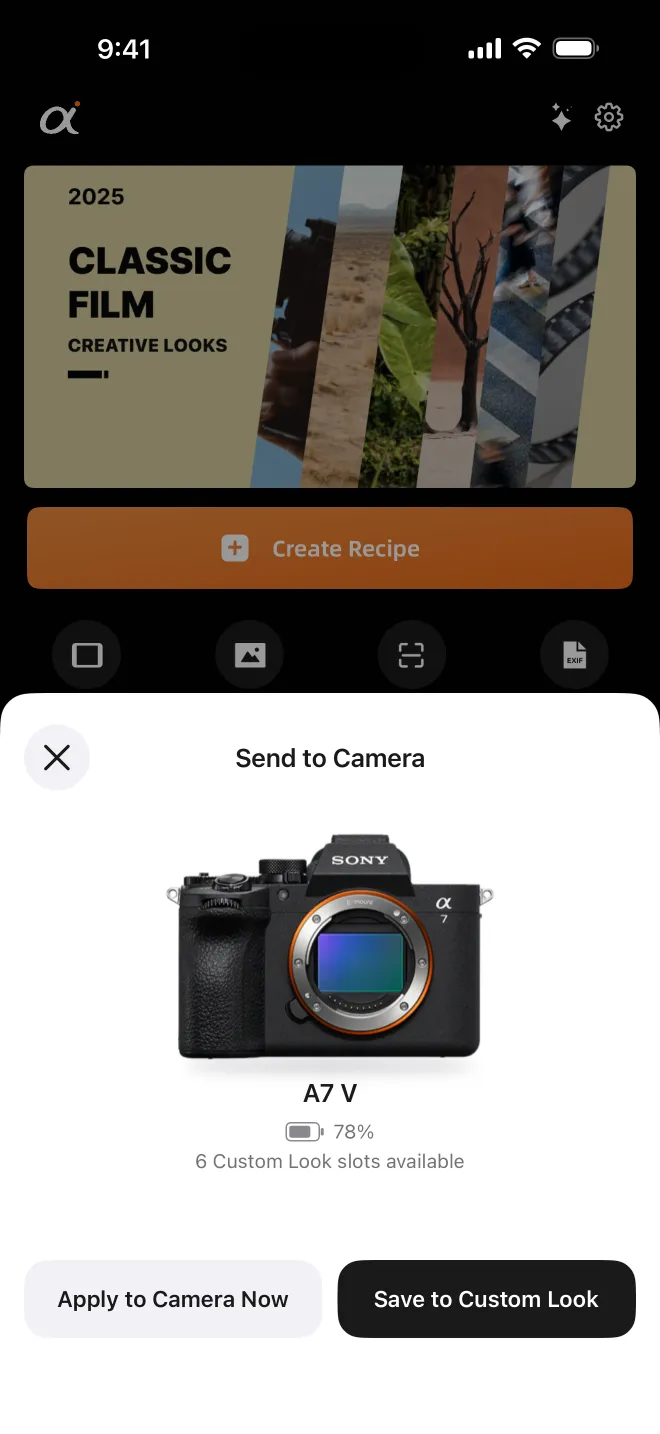
Slot or current settings?
| Custom Look slot | Current settings | |
|---|---|---|
| After you unplug | Stays — switch to it from the camera menu any time | Stays until you change settings |
| White balance + shift | Not stored — WB is a global camera setting, not part of a look | Applied |
| Best for | Recipes you will come back to | Trying a card right now |
Swipe sideways to see the whole table →
While connected, the app shows the camera model, its battery level and how many Custom Look slots it actually has — all read live from the body, nothing assumed.
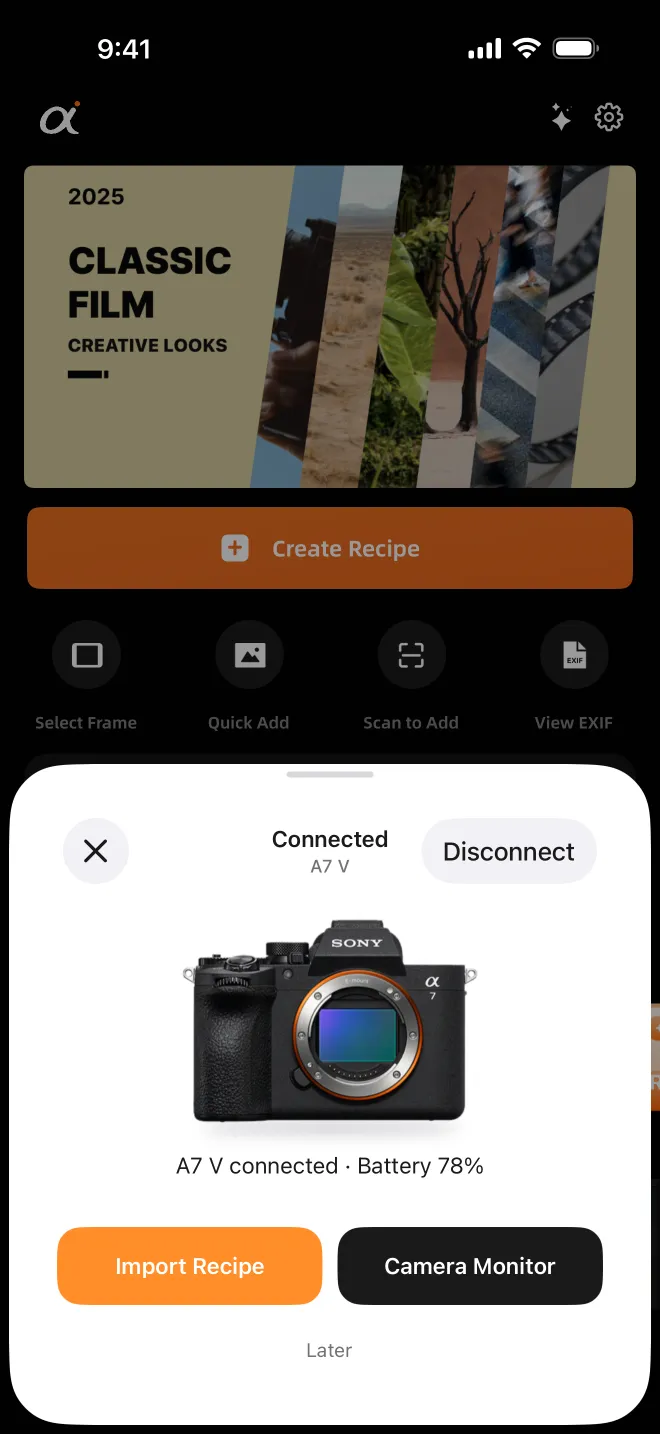
Careful by design
- Every setting about to change is listed first; nothing is sent until you confirm.
- If a value sits outside what your body accepts, it is written at the nearest valid step and you are told.
- Cable pulled mid-import? What was already written stays on the camera, the rest is untouched, and importing again is safe.
Which cameras
Any body with Creative Look in its menu. Verified: α7 V, α7 IV, α7C II, α7CR, α7R V and ZV-E1. Bodies built on the older Creative Style (α7 III, α7C, α6400, ZV-E10…) can’t map the parameters one to one, so the app tells you after reading the camera and writes nothing.
Ready to fill your slots? Browse free recipe cards and pick your favourites.
FAQ
- Why doesn’t my camera show up when I plug it in?
- Most often the cable is charge-only. Also check that USB Connection Mode is Remote Shooting (PC Remote), a memory card is in the camera, and Creators’ App or Imaging Edge isn’t holding the connection.
- Is white balance saved into the Custom Look slot?
- No. White balance is a global camera setting, not part of a look, so it is only applied when you write a recipe onto your current settings.